
-
 Media gallery

Resto. – Restaurant Catering & Cafe Elementor Template Kit
- Sale price
- Rs. 249.00
- Regular price
-
Rs. 4,999.00 - Regular price
- Rs. 249.00
- Unit price
- per
Guaranteed safe checkout
Couldn't load pickup availability
Product Description
Product Description
Description
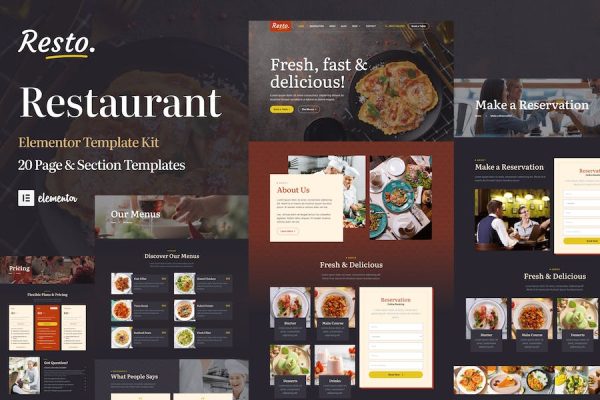
Resto is an Elementor website template kit for WordPress that was designed and developed specifically to help you build online presence and website for your restaurant, cafe, catering, burger joint, pizza, bistro, diner, fast food and other food and beverages related business.
When you buy Resto you will get 20 of highly professional page & section templates. This Elementor template kit has been optimized for use with the free Hello Elementor theme but may be used with most themes that support Elementor.
All the pages and sections in Resto Elementor template kit are professionally crafted and well designed.
## Template List
Global Kit Styles
Global Header
Global Footer
Homepage
About Us
Testimonials
Our Locations
Our Services
Our Menu
Our Chef
Pricing
Make A Reservation
Contact
FAQ
404 Page
Coming Soon
Popup Banner
Blog
Single Post
Archive Blog/li>
Elementor Pro upgrade is required for some templates and features (not included)
System Requirements to Install Elementor Kit
Memory Limit Hosting Server Should Be 512 Mb
MySQL version 5.6 or greater OR MariaDB version 10.0 or greater
PHP 7 or Greater with PHPZip Extension enabled
WordPress 6 or Greater
Modern browser such as Chrome or Firefox
For More Info Kindly Visit this Guide: https://elementor.com/help/requirements/
How to Use Template Kits:
Install and Activate the “Envato Elements” plugin from Plugins > Add New in WordPress
Download your kit file and Do not unzip
Go to Elements > Installed Kits and click the Upload Template Kit button. You may also import automatically by clicking Connect Account to link your Elements subscription, then import under Elements > Template Kits.
Check for the orange banner at the top and click Install Requirements to load any plugins the kit uses
Click import on the Global Kit Styles first
Click Import on one template at a time. These are stored in Elementor under Templates > Saved Templates.
Go to Pages and create a new page and click Edit with Elementor
Click the gear icon at lower-left of the builder to view page settings and choose Elementor Full Width and hide page title
Click the gray folder icon to access My Templates tab and then Import the page you’d like to customize.
If you have Elementor Pro, headers and footers may be customized under Theme Builder.
Detailed Guide: https://help.market.envato.com/hc/en-us/articles/900000842846-How-to-use-the-Envato-Elements-WordPress-Plugin-v2-0
For further support, go to Elementor > Get Help in WordPress menu.
Notified by email when this product becomes available

Rs. 249.00